
Get Your IPTV Free Trial with TvPickes
Thinking about switching to IPTV but not ready to commit? An IPTV free trial is the easiest way to see exactly what you’d be getting before you spend a penny.
Message our team on WhatsApp and we’ll set you up so you can check the channels, streaming quality, and device compatibility for yourself — no card details required.
Request Your Free Trial on WhatsApp
Why Try It First?
Committing to a subscription without seeing it in action first is a gamble. A trial run removes that risk entirely.
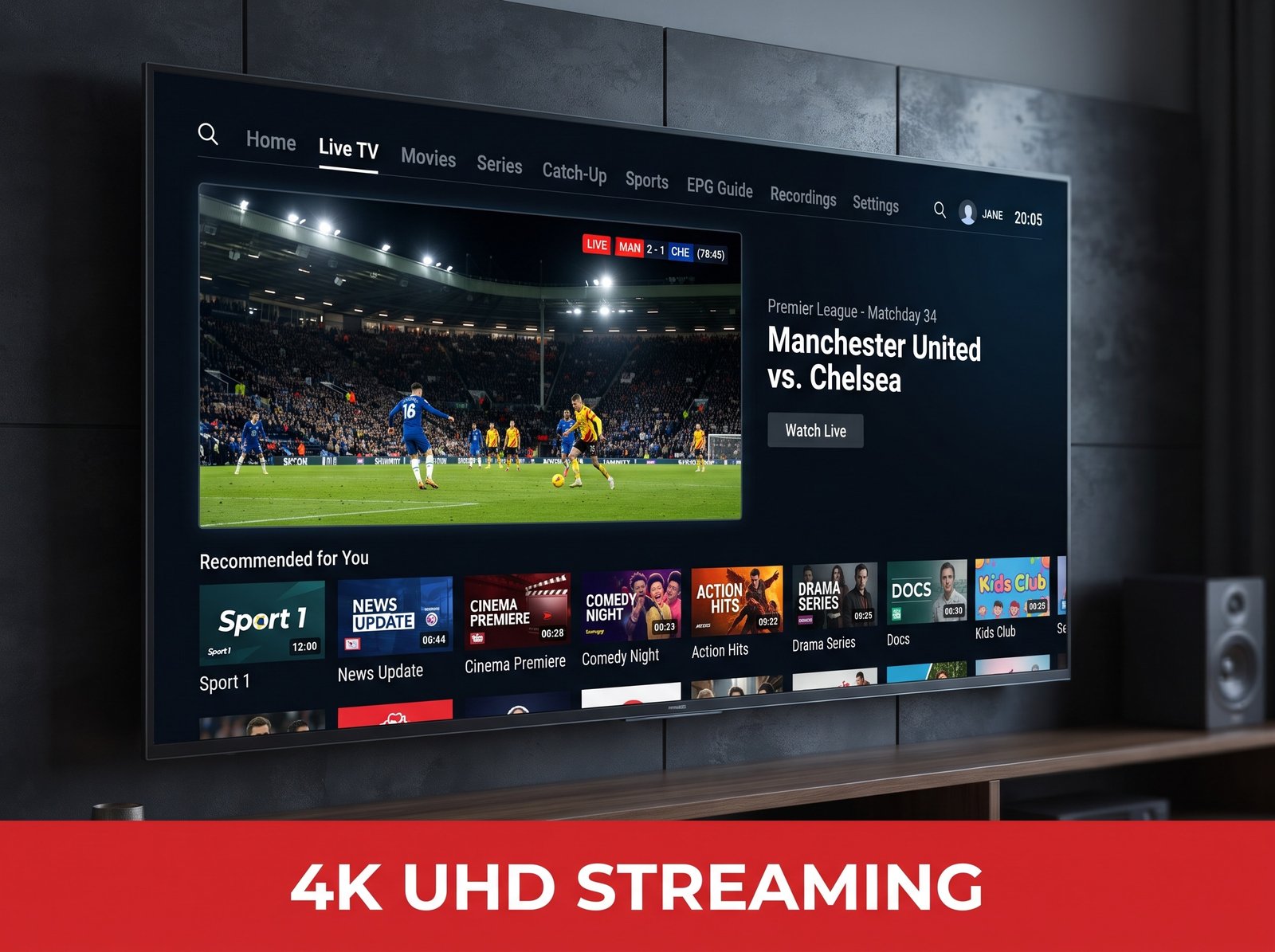
An IPTV free trial lets you check that the channels you actually watch are included, confirm the stream holds up during peak hours like a Saturday football fixture, and make sure the app runs smoothly on the exact device you plan to use — whether that’s a Firestick, a Smart TV, a phone, or a tablet.
Plenty of providers advertise a trial but make it difficult to actually claim one, hiding it behind long sign-up forms or upfront payment details.
TvPickes keeps things simple: message us on WhatsApp, and a real person sets your trial up directly. No forms, no automated bots, no small print.
Streaming quality also varies a lot more than most people expect between providers, even when the channel counts look similar on paper.
Server load, backup feeds, and how a service handles busy periods all make a real difference once you are actually watching, and none of that shows up in a plans page. Testing it yourself, on your own connection, is the only way to know for certain.

How the IPTV Free Trial Works
- Message us on WhatsApp using the button above and let us know you’d like to try the service.
- Our team activates your IPTV free trial so you can test everything on your own device, in your own home.
- Watch live channels, check the on-demand library, and judge the streaming quality for yourself.
- Like what you see? Choose a subscription plan that fits your household and carry straight on from where the trial left off.
What You Get to Test
- Access to 40,000+ live channels, so you can check your regular favourites are covered
- A look at the 200,000+ movies and series library
- 4K, UHD, FHD and HD streaming quality, so you can judge stability for yourself
- Compatibility testing on Firestick, Smart TV, Android, iOS and more
A stable broadband connection of at least 15 to 20 Mbps is recommended for smooth 4K playback, though standard HD channels will run comfortably on slower connections too.
If more than one person in the household streams at once, it is worth testing that during the trial as well, since that is when weaker services tend to show their limits.
What to Check During Your IPTV Free Trial
A few things are worth paying attention to while you have access: does the stream stay stable during a live sports fixture, does the on-demand catalogue actually have the titles you want to watch, and does the interface feel comfortable to navigate on your particular device.
These questions matter far more than the channel count alone, since streaming quality can vary noticeably depending on your broadband speed and router setup.
Many households find this hands-on approach more useful than reading a spec sheet, because real-world performance always depends on your own connection and hardware rather than a list of features on a page.
It is also worth switching between a few different channel genres — news, sport, kids, and general entertainment — during the trial, to get a feel for how consistent the picture quality is across the whole line-up rather than on a single flagship channel.
Comparing an IPTV Free Trial to Traditional TV
Cable and satellite packages usually lock you into long contracts, charge extra for additional boxes around the house, and bundle in channels you never watch.
An internet-based service works differently: everything runs through an app on a device you already own, channels update without an engineer visit, and you are free to cancel whenever it suits you.
There is also no dish or box installation to arrange, which matters if you are renting or simply do not want cables running across the room. Your IPTV free trial is the fastest way to feel that difference for yourself, rather than taking a plans page’s word for it.
Who an IPTV Free Trial Is Useful For
A trial period tends to be most useful for a handful of situations: households currently paying for cable or satellite who want to compare before switching, and sports fans who need to confirm a specific competition or channel is covered.
It also suits people who have just moved and want to check reception on a new setup, and expats who want to keep up with channels from home.
Students and renters who move frequently also tend to prefer an app-based service, since there is nothing physical to reinstall each time. Whichever group you fall into, the same trial applies to everyone, so there is no need to pick a special plan just to look.
Making the Switch Simple
If you decide to continue after your IPTV free trial, moving over does not require cancelling anything else on day one.
Most households run both services in parallel for a week or two, confirm everything they need is working, and only then cancel their old provider. That overlap period removes any pressure to decide instantly and means there is no gap in your television access while you make up your mind.
Life After Your IPTV Free Trial
Once the trial period ends, you’re under no obligation to continue. If it wasn’t the right fit, that’s completely fine — no hidden charges, no automatic sign-up.
If you did enjoy your IPTV free trial, moving to a full subscription takes moments, and you keep the same setup you already tested, so there’s nothing to reinstall or reconfigure.

Getting the Most From Your IPTV Free Trial
To get a proper feel for the service during your IPTV free trial, try it at a busy viewing time such as a weekend evening, not just during a quiet afternoon.
Test it on more than one device if you own several, since performance can vary between a Firestick, a phone, and a Smart TV.
Take a moment to browse the electronic programme guide and confirm the channels you actually watch are easy to find, and note down anything that felt off so you can ask our team about it before you decide.
Tips for a Smooth IPTV Free Trial
A wired connection to your router, where possible, tends to give a steadier picture than relying on Wi-Fi alone, particularly for a Smart TV in a room further from the router.
Restarting the app after a firmware update on your device is also a good habit during the trial, since it clears any temporary cache issues.
If a channel ever looks less sharp than expected, checking your household’s overall internet speed during peak evening hours is usually the fastest way to work out whether the issue is the stream or the connection.
Placing your router centrally rather than in a corner of the house can also make a noticeable difference to Smart TVs and Firesticks on the far side of a room.
What Makes an IPTV Free Trial Worth Doing Properly
Rushing through a trial in five minutes rarely tells you very much. Giving it a proper evening, ideally the kind of evening you would normally spend watching television anyway, is what actually surfaces any issues.
That is also the best time to judge whether the on-demand library has enough to keep the household entertained, not just whether the live channels load.
Many households use their IPTV free trial specifically to compare pricing side by side with what they currently pay for cable or satellite, since the monthly cost difference is often the deciding factor once the technical side checks out.
Others use the same IPTV free trial window to check whether local news and regional sports coverage for their area are included, which is easy to overlook when skimming a channel count on its own.
IPTV Free Trial FAQs
Do I need to enter payment details to request a trial?
No. You simply message us on WhatsApp and our team activates your IPTV free trial directly.
How long does the trial last?
Long enough to properly test the channels, streaming quality, and your device — our team will confirm the exact length when you get in touch.
Can I use the trial on more than one device?
Yes, you can test the app on a phone, tablet, or Smart TV during your IPTV free trial so you know exactly how it performs on the hardware you actually plan to use.
Do I need a VPN to use the service?
No VPN is required to use the app, though some households prefer to run one anyway for general privacy while streaming.
Will I lose my setup if I switch from another provider?
No. You can test everything independently of any existing service during the trial, and there is no need to cancel anything else until you have decided.
What happens if I decide not to subscribe afterwards?
Nothing at all. There’s no automatic charge and no commitment attached to trying the service.
Ready to Subscribe?
Already know TvPickes is right for you and want to skip the IPTV free trial step? View our subscription plans, check our full UK channel list, or browse our FAQs before you decide.